
HRMS Globex Explained: What It Is, What’s Verified, and How to Use the Portal
Quick answer: HRMS Globex is an employee HR portal at hrms.theglobex.com. Its login page asks for a User Name, a Password and a CAPTCHA, and offers a “Forgot password?” option — and that is nearly everything that can be confirmed about it from public sources. There is no sign-up option, no public pricing, no visible dashboard and no feature list before you log in. Almost everything else written about the system — payroll, salary slips, leave, recruitment, a mobile app, artificial intelligence features and tiered pricing — comes from third-party guide sites, not from anything the portal itself shows. This article separates what is confirmed from what is merely claimed, walks through the login and password-reset steps exactly as the portal shows them, and explains how to use the portal safely.
What the Portal Actually Is — and What Can Be Checked
Put simply, the name HRMS Globex refers to an employee-facing HR portal: a website where employees of an organisation log in to handle human-resources tasks. HRMS stands for Human Resource Management System, a type of software that centralises employee records, payroll, leave, attendance and performance reviews in one place instead of spreading them across spreadsheets, paper files and email threads. In principle, that is what this portal is for. In practice, almost nothing about how this particular system works can be seen from the outside, because every page beyond the login screen is hidden behind authentication.
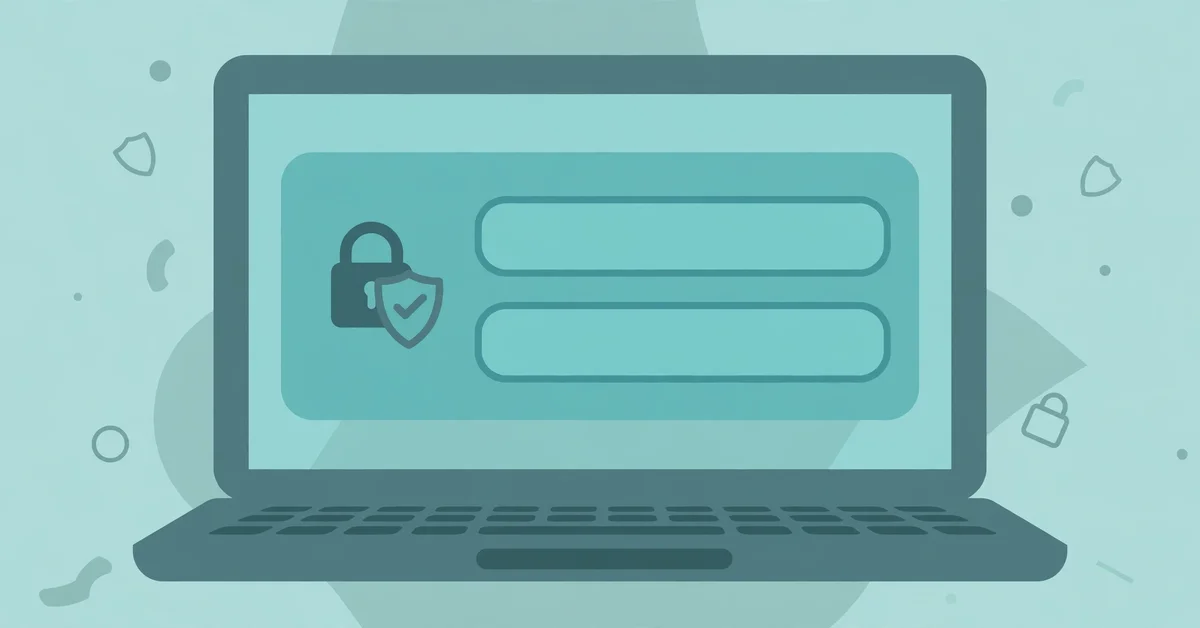
That single fact shapes everything else in this article. The login page at hrms.theglobex.com/Web/Default.aspx was checked directly on 13 November 2026. It carries the page title “HRMS” and shows a login form with three fields — User Name, Password and CAPTCHA — plus a “Forgot password?” link and some social-media icons at the bottom. It shows no dashboard, feature list, pricing, sign-up button or company information. The recovery page is equally spare: it asks for an Employee Code and a CAPTCHA, and reveals nothing else.
This matters because the internet is full of long, confident articles about the system that describe it in great detail. Some run to several thousand words and list a dozen modules, exact salary-slip download steps, pricing tiers, a free-trial length and a mobile app. Read carefully, though, and a pattern appears: the guides repeat one another, cite no official source, and never distinguish between what the portal itself shows and what a generic HR system might do. Only one careful guide — on theethicalhacker.blog — actually opened the live login and recovery pages and separated confirmed facts from unconfirmed claims. The longest guide, on hrmspedia.com, presents a full feature list, per-employee pricing and a 14-to-30-day trial as established facts without linking to any primary source. Other guides attach numbers to their claims — paperwork-time cuts, efficiency gains attributed to Gartner, SHRM and Deloitte — without a report name, a link or a year. None of that is verifiable, and none of it should be treated as fact.
There is also a persistent confusion about the system’s origins. One guide states that the system was “created in 2015 by a team of industry experts”. No source is given for that date, no founder is named, and no company history is published on the portal. The claim is unverified and this article does not repeat it as fact. Any fact that cannot be traced to the portal itself, to a document on its own domain, or to an official page is presented here as a claim, not as a fact.
So what can be established? Three kinds of evidence exist. First, the live login and recovery pages, which anyone can open and inspect. Second, historical documents hosted on the same HRMS domain — a 2018 guide to the performance management process and a 2021 document about appraisal letters — which show what the system was actually used for at those dates. Third, the absence of evidence: the portal’s silence on pricing, sign-up, features and apps is itself informative, because a product that sold itself to the public would normally publish those things. Every claim in this article is labelled accordingly.
Confirmed vs Claimed: The Evidence Table
The table below separates what HRMS Globex is confirmed to be from what third-party guides claim about it. “Confirmed” means the fact was seen directly on the live portal or in a document hosted on the portal’s own domain. “Not publicly confirmed” means third-party guides describe it, but no public page or document verifies it.
| Item | Status | Evidence |
|---|---|---|
| Login page with User Name, Password and CAPTCHA fields | Confirmed | Seen live on hrms.theglobex.com/Web/Default.aspx, checked 13 November 2026 |
| “Forgot password?” link on the login page | Confirmed | Seen live on the login page, checked 13 November 2026 |
| Password recovery asks for Employee Code plus CAPTCHA | Confirmed | Seen live on the recovery page, checked 12 November 2026 |
| No public sign-up or self-registration option | Confirmed | No sign-up element appears on the login page |
| Three-stage performance review process (Self Review, Appraiser Review, Reviewer Comment) | Confirmed | 2018 guide hosted on the portal’s own domain |
| Appraisal letters viewed and accepted inside the system | Confirmed | July 2021 document on the portal’s domain, covering the July 2020–June 2021 cycle |
| Payroll module | Not publicly confirmed | Described by third-party guides; nothing about payroll is visible before login |
| Salary-slip download | Not publicly confirmed | Step-by-step guides exist, but no payroll section is publicly visible |
| Leave and attendance modules | Not publicly confirmed | Described by third-party guides only |
| Recruitment and onboarding module | Not publicly confirmed | Described by third-party guides only |
| Mobile app | Not publicly confirmed | No app-store listing found by the most careful reviewers; the portal is web-based |
| Artificial intelligence features and analytics | Not publicly confirmed | Claimed by some guides; no public evidence |
| Pricing tiers and free trial | Not publicly confirmed | Figures appear in guide tables with no pricing page behind them |
Two things stand out from that table. First, everything in the “Confirmed” column is narrow and boring: fields on a form, a recovery link, two old documents. Second, everything interesting — the features an employee or a buyer would actually care about — sits in the “Not publicly confirmed” column. Employee portals are usually bought by an employer and configured for that employer’s staff, so the vendor has little reason to publish a public feature tour. The guides that fill the gap with confident detail are guessing, copying each other, or describing a generic HRMS and attaching the portal’s name to it.
It is worth saying plainly what “not publicly confirmed” does not mean. It does not mean the feature does not exist. A payroll module, a leave workflow and a salary-slip download are standard parts of almost any HRMS, and the historical documents prove this system handled performance reviews, so it is plausible — even likely — that some of these modules exist behind the login screen. What it means is that you cannot verify them from outside, and you should not make decisions on the assumption that they work in a particular way. A buyer comparing systems should not put this portal’s claimed features side by side with a competitor’s verified feature list as if they were the same kind of evidence.
How to Log In to HRMS Globex
Logging in is simple, but it has one unusual feature that catches new users out: the system gives you nothing to explore before you sign in, and it gives you no way to register. Every account is created by the employer, so the first step in the process happens before you ever open the portal — somebody in HR or IT hands you a User Name and a password, or tells you where to find them. If nobody has given you credentials, there is nothing to click, no form to fill in and no support page that can create an account for you. That is by design, and it is the first thing to understand about the portal.
With credentials in hand, the steps are exactly what the login page shows:
- Open the portal at the address your employer gave you. The login page lives at hrms.theglobex.com/Web/Default.aspx. Do not follow a login link from an unexpected email; type the address yourself or use a bookmark you created from an address HR or IT confirmed. This one habit protects you against the lookalike-site problem explained in the two-website section below.
- Enter your User Name. This is the username your employer assigned you. It is not necessarily the same as your Employee Code, so use exactly what HR gave you for login, and keep the Employee Code for password recovery.
- Enter your Password. Passwords are case-sensitive, so check that Caps Lock is off and that you have not added an extra space at the start or end. If your employer issued a temporary password, you will normally be asked to change it on first login; the public pages do not show that screen, so follow whatever the system prompts you to do once you are inside.
- Complete the CAPTCHA. The login form includes a CAPTCHA challenge — the distorted-character or checkbox test that proves you are a person, not an automated script. It stops automated scripts from trying stolen username-and-password pairs at scale. Type the characters exactly as shown, or tick the checkbox if that is the form the challenge takes. If the characters are unreadable, look for a refresh control to generate a new challenge.
- Submit the form and wait for the portal to load. After a successful login you will reach the employee area, whose contents depend on your role and on which modules your employer has enabled. The public pages show nothing about this area, so no menu names or screen layouts can be confirmed here. Explore the menus you can see; colleagues may see different options depending on their role.
A few practical points make first login smoother. Avoid logging in from shared or public computers; if you must, close the browser completely afterwards and never tick a “remember me” option on a machine other people use. Save the portal address as a bookmark after your first successful login so you never need to search for it again. And if the page looks different from the description above — different fields, a different address, a request for information the real page never asks for — stop, close the tab and check with HR or IT before typing anything. A genuine employer portal will never ask for your bank details, your personal email password or a payment on its login screen.
How to Reset Your Password
Forgetting a password is the most common problem with any login-gated system, and the portal provides a recovery path — though a narrow one. On the login page, beneath the password field, sits a “Forgot password?” link. Clicking it takes you to a recovery page that asks for two things: your Employee Code and a CAPTCHA.
First, the recovery flow is built around the Employee Code, not the User Name and not an email address. Keep your Employee Code somewhere safe — it is usually printed on your payslip or your employee ID card, and HR can confirm it if you have lost it. Second, the CAPTCHA appears again, for the same reason it appears on the login form: to stop automated scripts from testing thousands of employee codes. Third, and most importantly, the recovery page does not show what happens next. It does not say whether a reset link will be emailed to you, whether a temporary password will be shown on screen, or whether HR must approve the reset manually. No confirmation message, no mailbox instruction and no time limit is visible on the public pages, so the honest guidance is this: submit your Employee Code and the CAPTCHA, then follow whatever the page tells you — and if nothing arrives or nothing changes, contact HR or IT rather than submitting the form repeatedly.
That last point deserves emphasis, because repeated failed attempts are the usual way a simple forgotten password turns into a locked account. The public pages do not state any lockout rule — no number of failed attempts, no lockout duration, no unlock procedure — so this guide cannot tell you how many tries are safe. What can be said is that guessing repeatedly is never a good strategy. If your first careful attempt fails, check the basics: Caps Lock, an extra space, the difference between your User Name and your Employee Code. If a second attempt also fails, stop and ask HR or IT to reset the password from their side. The same cautious approach applies to every password problem: slow down, verify what you typed, and escalate early rather than guessing late.
Password hygiene matters more than usual here, because the portal holds employment records — the kind of personal data that is valuable to attackers. Use a password that is long and unique to this portal, and do not reuse a password from your personal email or social accounts. Change any temporary password the first time you log in, and change your password promptly if you ever suspect it has been exposed. These are general security practices, not features of the portal itself — the login page shows no password-strength meter — but they protect an account on a system you cannot fully inspect.
What the Historical Documents Prove: The Performance Review System
If the login page is the only thing the portal shows the public today, the historical documents hosted on the portal’s own domain are the strongest evidence about what HRMS Globex actually does — and they are the most underused evidence in every guide about the system. Two documents survive from the portal’s own domain, one from 2018 and one from 2021, and together they prove that this system was used, at those dates, to run a formal performance management process and to issue appraisal letters. They are the only dated, checkable records of the system in real use.
The 2018 document is a guide to the system’s Performance Management System, usually shortened to PMS. It describes a three-stage review process, and the stages are worth setting out exactly as the document presents them, because the structure tells you a lot about how the organisation ran appraisals.
| Stage | Who acts | What happens |
|---|---|---|
| 1. Self Review | The employee | The employee reviews their own performance against defined review areas, and can save the review as a draft and return to it |
| 2. Appraiser Review | The manager (appraiser) | The manager reviews the employee’s self-assessment, adds their own ratings and comments, and the month-wise efficiency, quality and attendance data can be added automatically |
| 3. Reviewer Comment | The reviewer (senior manager) | A senior reviewer adds final comments and the review is completed; after “Complete Review” is clicked, no further changes can be made |
Three details in that process deserve attention. First, the review areas themselves: the 2018 guide lists twelve of them — efficiency, quality, attendance, ownership, verbal communication, email communication, client satisfaction, domain knowledge, technical skills, presentation skills, meeting deadlines, steadiness under pressure, and time management. The list mixes hard measures (attendance, meeting deadlines) with softer ones (ownership, steadiness under pressure) and client-facing ones (client satisfaction).
Second, the process is deliberately sequential and deliberately final. The employee goes first, the manager responds, and the senior reviewer closes the review. Drafts can be saved along the way, so nobody is forced to complete a review in one sitting, but once the review is marked complete, it locks — so the appraisal becomes a fixed record that later decisions can rely on.
Third, the document mentions that month-wise data on efficiency, quality and attendance could be added automatically. That single line is evidence that the system was not just a form-filling tool: it pulled performance data from elsewhere in the organisation’s records into the review. What the document proves is that the system ran performance reviews in 2018, and what those reviews looked like then. It proves nothing about the current screen layout, the current review areas, or whether the same three stages are still in use — interfaces change, and a process described eight years ago may have been redesigned since.
The 2021 document is narrower but equally concrete. It concerns appraisal letters for the review cycle running from July 2020 to June 2021. The document explains that employees could view and accept their appraisal letters inside the HRMS, logging in with their HRMS password, and that the letters were treated as confidential. It also tells employees what to do if a letter did not appear: contact their manager or HR. And it names the organisation using the system at that time: Global Healthcare Billing Partners Pvt Ltd.
That company name is a small but valuable piece of evidence. It anchors the system in a real organisation, in a specific sector — healthcare billing — and in a specific year. The documents fit together: the 2018 guide describes the appraisal machinery, and the 2021 document shows it producing its final output, the appraisal letter, three years later.
Employees using the portal today can draw two practical lessons from these documents. The first is about timing: appraisal cycles in this organisation ran on a July-to-June year, and letters followed the end of the cycle. If your own organisation still follows a similar calendar, expect appraisal activity to cluster around the cycle’s end. The second is about evidence: if you ever need to prove what was agreed in a review, the locked review record and the appraisal letter are the documents that count — so keep your own copies of anything the system shows you, and save the letter when you accept it.
Payroll, Salary Slips, Attendance and Leave: What Guides Claim vs What Is Confirmed
For most employees, the performance review system is a once-a-year event. Payroll, salary slips, attendance and leave are the weekly and monthly reality — the parts of an HR portal people actually open. This section treats each area the same way: what the guides describe, what is actually confirmed, and what you should do in practice.
Start with payroll. Third-party guides describe the portal as having a payroll module that processes salaries, calculates deductions and generates payslips. That description is plausible — payroll is the core of almost any HRMS, and the appraisal documents prove the system handled employment records — but nothing about payroll is visible on the public portal, and no payroll screen, menu name or processing date can be confirmed. The same is true of the salary-slip download steps that guides repeat with such confidence: open the payroll section, select the salary-slip option, choose the month, download the PDF. Treat the guide steps as a starting point and confirm the real path inside your own account, asking HR or payroll if the option is not where the guides say it should be.
What can be explained with confidence is what a salary slip normally contains, because that is general knowledge about payslips, not a claim about this portal.
| Payslip component | What it usually means |
|---|---|
| Basic pay | The fixed core of the salary, from which many other components are calculated |
| Allowances | Extra payments such as house rent allowance (HRA), transport or special allowances |
| Gross pay | Basic pay plus all allowances, before any deductions |
| Provident fund (PF) | A retirement-savings deduction, where applicable under local law |
| ESI or social security | Insurance or social-security contributions, where applicable |
| Tax deducted at source | Income tax withheld by the employer and paid to the tax authority |
| Other deductions | Items such as loan repayments, advances or penalties, if any apply that month |
| Net pay | Gross pay minus all deductions — the amount actually transferred to the employee |
That table describes payslips in general. It is not a claim that this portal shows each of those lines, and the exact components on your own slip depend on your country, your contract and your employer’s payroll rules. Use it as a checklist when you read your slip: check that the gross pay matches your salary, that the deductions are ones you recognise, and that the net pay matches the amount that reached your bank account. If anything looks wrong, raise it with payroll promptly, with the slip and the bank statement in front of you — payroll errors are simple to fix in the month they happen and painful to untangle months later.
Guides describe attendance tracking, shift management and leave applications with approval workflows, and those are standard HRMS features that this system may well include. But no attendance screen and no leave form is publicly visible, so no menu names, leave types or approval steps can be confirmed. If your organisation uses the portal for leave, ask HR which leave types exist in your account — annual leave, sick leave, casual leave and unpaid leave are common, but the names and the balances are set by your employer, not by the software — and check whether approval comes from your direct manager or from HR.
The Two-Website Trap: HRMS Globex and hrmsglobex.com
The most important warning in this article has nothing to do with features or pricing. It concerns a second website. The employee portal lives at hrms.theglobex.com. A separate website exists at hrmsglobex.com, using the same branding and describing an HRMS product. No public evidence connects the two sites: no link, no shared company page, no statement on either site explaining the relationship. They may be two faces of the same product, or unrelated products that happen to share a name. What matters is that an employee who types credentials into the wrong one has handed their login to an unknown party — and that risk is real enough to deserve a careful comparison.
| hrms.theglobex.com | hrmsglobex.com | |
|---|---|---|
| What it is | The employee login portal, verified live | A separate marketing-style website using the same branding |
| What you see | A login form: User Name, Password, CAPTCHA, “Forgot password?” | Product descriptions and marketing claims |
| Sign-up | None — accounts are employer-provisioned | Presents itself as a product site; connection to the portal unproven |
| Evidence | Checked directly, 12–13 November 2026; historical documents on the same domain | No public evidence links it to the portal |
| What to do | Use only the address your employer supplies | Do not enter employee credentials there unless HR or IT confirms it |
The confusion is not hypothetical. Several guides about the portal link to or quote the marketing site as if it were the official source, and at least one guide warns explicitly that the two sites may not be the same service. There is also a third lookalike to be aware of: hrms.globcom.om, which belongs to a different company in Oman and has nothing to do with either Globex site. Three similar addresses, three different owners — and only one of them is the portal your employer gave you. That is why the address bar, not the page design, is the check that counts. A convincing copy of a login page takes minutes to build; the domain name is the one thing a phishing page cannot borrow without you noticing — if you look.
The stakes are higher than a single password. Employment portals hold exactly the data attackers want: full names, addresses, identity numbers, salary details, bank account numbers for salary transfers, and the organisational chart that tells a scammer who reports to whom. IBM’s Cost of a Data Breach Report 2025 puts the global average cost of a data breach at $4.44 million — down from $4.88 million in 2024, but still a figure that explains why employee credentials are traded and targeted. An individual login is one of the doors into that figure, and the cheapest defence is also the simplest: never type your credentials into a page you reached through a link you did not expect.
Use this short check every time you log in, and teach it to new joiners as part of their first-day routine:
- Check the domain before you type. The address bar should read hrms.theglobex.com — exactly that, with no extra words, hyphens or different endings. A page at a similar-looking address is a different website, whatever its design suggests.
- Use your own bookmark. After your first confirmed login, bookmark the page and use the bookmark every time. Bookmarks bypass search results and email links entirely.
- Distrust unexpected login emails. If an email tells you to log in urgently, treat it as suspicious until proven otherwise. Open the portal from your bookmark, not from the email’s link.
- Confirm the address with HR or IT. If you ever receive a different portal address from a colleague, a vendor or a search result, ask HR or IT to confirm it before using it. That single question resolves the two-website confusion for your whole organisation.
- Report lookalikes. If you find a page that imitates the portal, tell IT. They can warn the rest of the staff and, if needed, ask for the imitating domain to be taken down.
Finally, remember that the marketing site’s claims should never be attributed to the portal, or the portal’s confirmed facts to the marketing site. When a guide quotes a feature list, a price or a trial period, ask which of the two sites it came from — and if the answer is the marketing site, treat the claim as a claim about a product page, not about the employee portal you log into.
Common Login Problems and Fixes
Most login problems with an employee portal have ordinary causes, and most are fixed in minutes once the cause is identified. The table below covers the problems employees report most often, grounded in what the portal actually shows — and where the public pages do not state a rule, the table says so instead of inventing one. A wrong fix for a login problem can waste far more time than the problem itself.
| Problem | Likely cause | What to try |
|---|---|---|
| “Invalid username or password” | Typing error, Caps Lock, or using the Employee Code instead of the User Name | Retype both fields slowly, check Caps Lock, confirm you are using the User Name HR gave you — not the Employee Code |
| CAPTCHA will not accept your answer | Misread characters, or an expired challenge | Refresh the CAPTCHA for a new challenge, type it exactly, and submit promptly |
| Forgot-password page asks for an Employee Code you do not know | The code is different from your User Name | Find the code on your payslip or ID card, or ask HR — do not guess it repeatedly |
| No password-reset message arrives | The recovery page does not state how resets are delivered | Check your spam folder, wait a short while, then contact HR or IT for a manual reset |
| The login page will not load at all | Network problem, wrong address, or the portal is down | Check the address bar, try another browser or network, and confirm the address with IT |
| The page looks different from usual | You may be on a lookalike domain | Stop, close the tab, and open the portal from your bookmark or the HR-confirmed address |
| A module you need is missing after login | Role and permissions: not every module is enabled for every employee | Ask HR whether the module should be visible for your role; do not assume the system is broken |
| Account locked after several attempts | Too many failed logins — but no lockout rule is published | Stop trying, wait, and ask HR or IT to unlock or reset the account |
| Temporary password does not work | Expired temporary password, or a typing error | Copy and paste it carefully if it was sent digitally; otherwise ask HR for a fresh one |
A few patterns run through that table. The first is that the two identifiers — User Name and Employee Code — cause more confusion than anything else in the system. They look interchangeable, they are both short strings of letters or numbers, and they are used on adjacent pages for different purposes. Remember the rule: the User Name opens the front door, and the Employee Code opens the recovery path. If you mix them up, both doors stay shut. Keep both written down somewhere safe — a password manager is ideal — and label them clearly.
The second pattern is the value of stopping early. With most consumer websites, guessing a password a few more times costs nothing. With a workplace system, repeated failures can lock the account, trigger a security alert, or waste an hour that a two-minute message to IT would have saved.
The third pattern is that many “login problems” are not login problems at all. A missing module is a permissions question. A page that looks different is a domain question. A reset email that never arrives may be a spam-filter question, or a sign that resets are handled manually by HR. Framing the problem correctly is half the fix: “I cannot log in” gives IT nothing to work with, while “I get an invalid-password message with the User Name HR gave me, Caps Lock off, after two attempts” tells them exactly where to look.
Verified Alternatives: Where HRMS Globex Sits Next to Checkable Systems
No competitor guide gives a useful comparison, because a comparison needs verified facts on both sides — and the portal’s side of the ledger is nearly empty. What can be done instead is to compare the portal with four established HR systems whose facts can actually be checked on their official pages. That comparison does not tell you which system is better in the abstract; it tells you something more useful, namely what a checkable HR system looks like, and how much of what you read about the portal would count as evidence if it were claimed about any of these four. Where HRMS Globex sits next to them, the honest answer is that it cannot be ranked on features or price at all — only on the evidence available — and that gap is itself the finding.
The four alternatives were chosen because each publishes its plans and features on its own official site, so every fact below was checked there on 13 November 2026. Prices are given only where the official pricing page displayed them during that check; where it did not, the article says so rather than borrowing a figure from a comparison site.
| System | What is verified on its official site | Pricing (official page, checked 13 Nov 2026) |
|---|---|---|
| greytHR | Full-suite HRMS with payroll, leave and employee self-service; used by 34,000+ companies; ISO 27001 and SOC 2 Type 2; 7-day free trial | Essential ₹2,495/month (first 50 employees, then ₹45/employee); Growth ₹4,495/month (first 50, then ₹85/employee); Premium custom — greytHR pricing |
| Zoho People | Plans Free, Essential HR, Professional, Premium and Enterprise; employee database, leave, attendance, performance and HR help desk by tier; 30-day free trial; free edition for small teams | Check official pricing — Zoho People pricing |
| Keka | Plans Foundation, Strength and Growth, plus hiring tiers Pro and Advanced; core HR, attendance, payroll, performance (OKRs, 360° reviews) and recruitment by tier; free trial offered | Check official pricing — Keka pricing |
| BambooHR | Plans Core, Pro and Elite; employee records, hiring and onboarding, time off, performance management and compensation tools by tier; payroll, benefits and time tracking as add-ons | Check official pricing — BambooHR pricing |
greytHR is the strongest match for the comparison, and not only because its pricing could be verified directly. Its official pricing page is unusually transparent: Essential at ₹2,495 a month covers the first 50 employees with complete payroll, leave management and employee self-service, plus ₹45 per additional employee; Growth at ₹4,495 a month adds attendance and advanced HR, plus ₹85 per additional employee; Premium is custom-quoted and bundles all modules. A 7-day free trial is offered, and the page states compliance certifications — ISO 27001 and SOC 2 Type 2 — that can be checked independently.
Zoho People takes a different approach. It is part of Zoho’s large software suite, and its official pricing page lists five editions — a free edition for very small teams, then Essential HR, Professional, Premium and Enterprise — with features added at each step: attendance and timesheets at the Professional tier, performance management and compensation at Premium, and the HR help desk, learning management and a sandbox environment at Enterprise. A 30-day free trial is confirmed on the official page. The per-user prices were not displayed in the page text during this check, so they are not quoted here — the page’s own figures should be read directly before any budgeting.
Keka is the modern, experience-led option of the four, and its official pricing page confirms three core plans — Foundation for companies starting with automation, Strength for scaling with advanced automation and engagement, and Growth with built-in performance management including OKRs and 360-degree reviews — plus hiring tiers called Pro and Advanced. The official page lists detailed features by tier: core HR, attendance, payroll and self-service on Foundation; e-signatures, asset tracking, geo-fencing and surveys on Strength; workflow automation and performance tools on Growth. Free trials are offered on each plan. As with Zoho, no price figure appeared on the official pricing page during this check, so none is quoted here — check the page directly for the current numbers.
BambooHR is the default choice for small and mid-sized businesses in the United States, and its official pricing page confirms three plans — Core, Pro and Elite — with features rising at each tier: employee records, reporting, hiring and onboarding and time-off tracking on Core; performance management, 360-degree feedback, goals and an employee community on Pro; compensation planning, salary benchmarking, custom dashboards and premium services on Elite. Payroll, benefits administration, time and attendance and global employment are sold as add-ons rather than included in the base plans. No per-employee figure appeared on the official pricing page during this check, so none is quoted here; check official pricing before comparing totals.
Two conclusions follow for anyone weighing the portal against these four. First, the portal cannot be compared on price or on features, because it publishes neither — so any guide that ranks it against greytHR or BambooHR on a feature checklist is comparing verified facts with unverified claims, and the result is meaningless. Second, the choice between these systems is not one an employee makes. Employees use the portal their employer chose; employers choose between systems like the four above on the basis of published pricing, verified features, local payroll compliance and support. If you are an employer reading this, the practical step is to shortlist the alternatives whose official pages answer your questions, and to ask the portal’s vendor, through your existing contact, for the same information: a feature list, a price, a trial. If the vendor cannot provide them, that silence is itself an answer.
Who the Portal Is For — and What to Ask HR Before Your First Login
The portal is for one group of people only: employees of an organisation that uses it, plus the HR and IT staff who administer it. That sounds obvious, but most confusion about the system comes from people outside that group trying to use it as something it is not. Job seekers cannot apply for jobs through it. Members of the public cannot browse it, sign up for it, or buy it. Software buyers cannot evaluate it from a public page. If you fall into one of those groups, the portal has nothing for you, and the right next step is to contact the organisation directly rather than hunting for a way in.
For employees, the first login is the moment when most questions arise, and most of them have the same answer: ask HR or IT. That is not a failure of this guide — it is a feature of a system that is configured per employer. The menus you see, the modules you can open, the leave types available to you and the location of your salary slip are all set by your employer, not by the software vendor, so no public article can answer them for your specific account. What a public article can do is give you the list of questions to ask, so that a single conversation with HR covers everything. If your employer uses HRMS Globex, ask these before — or during — your first login:
- What is the correct portal address? Confirm the exact address, write it down, and bookmark it after your first login. This one question eliminates the two-website problem entirely.
- What is my User Name, and what is my Employee Code? Get both, label them clearly, and store them in a password manager. Remember which one opens the login page and which one is used for password recovery.
- Which modules can I see in my role? Ask whether you should expect to see payroll, leave, attendance and performance sections — and if a module is missing, whether that is normal for your role or something to fix.
- Where do salary slips live, and when are they published? Ask which menu holds the slip, what day of the month it appears, and who to contact if the amount looks wrong.
- How does leave work here? Ask which leave types exist, who approves requests, how far in advance to apply, and whether balances carry over at year end.
- When is the appraisal cycle, and how does it run? Ask when reviews open, who your appraiser and reviewer are, and where your appraisal letter will appear when it is ready.
- Who do I contact when something goes wrong? Get a name — or a helpdesk address — for login problems, missing modules and payroll questions, so you are not guessing whom to email when the portal misbehaves.
HR and IT staff have a different set of concerns, and the evidence in this article points to three of them. The first is communication: because the portal shows nothing before login, new joiners arrive with expectations set by guide articles — a mobile app, a self-service sign-up, a salary-slip menu that may not exist in their account. A one-page internal note on the first day, stating the portal address, the two identifiers, the modules available and the support contact, would prevent most first-week confusion. The second is security: the two-website trap means the organisation should state the correct domain in writing, in onboarding materials and on the intranet, and should warn staff explicitly against logging in through search results or email links. The third is record-keeping: the 2018 and 2021 documents show that appraisal records and letters were treated as locked, confidential documents, and that standard should be maintained — employees should be told to save their own copies of appraisal letters, and managers should understand that a completed review cannot be edited after the fact.
Frequently Asked Questions
The questions below are the ones employees and researchers ask most often about the portal. Each answer keeps the same discipline as the rest of this article: what is confirmed is stated as confirmed, and what is only claimed by third-party guides is labelled as such. This final review of the common questions shows the same pattern every time — the portal is narrow, login-gated and employer-run, and most of the detail written about it elsewhere cannot be verified.
What is HRMS Globex?
HRMS Globex is an employee HR portal at hrms.theglobex.com, run for the employees of an organisation that uses it. Its login page asks for a User Name, a Password and a CAPTCHA. Accounts are created by the employer — there is no public sign-up — and historical documents on the portal’s own domain show it was used to run performance reviews and issue appraisal letters. Everything beyond that — payroll, leave, recruitment, a mobile app, pricing — is described by third-party guides but not publicly confirmed.
Can I sign up for an account myself?
No. The login page shows no sign-up or registration option of any kind, and the system is designed for employees whose accounts are created by HR or IT. If you have joined an organisation that uses the portal, your login details will come from HR or IT. If nobody has given you credentials, there is no form that can create an account for you — contact your employer’s HR team instead.
How do I reset my password?
Click the “Forgot password?” link on the login page. The recovery page asks for your Employee Code and a CAPTCHA — not your User Name and not an email address. Submit those, then follow whatever the page tells you next. The public pages do not say how the reset is delivered, so if nothing arrives or nothing changes, contact HR or IT for a manual reset rather than submitting the form repeatedly.
How do I download my salary slip?
This cannot be confirmed from public sources. Third-party guides describe a path through a payroll section — select the salary-slip option, choose the month, download the PDF — but no payroll section is visible before login, so the menu names and steps cannot be verified. In your own account, look for a payroll or salary section after logging in; if you cannot find it, ask HR or payroll where slips are published and on what day of the month.
Is there a mobile app?
Not publicly confirmed. No app-store listing has been found by the most careful reviewers of the portal, and the portal itself is web-based. Some guides claim a mobile app exists, but they cite no store listing or official announcement. Until an official app listing appears, assume you will use the portal through a web browser — on a phone or a computer — and do not install any app that claims to be the portal’s official application, since it may be unrelated or malicious.
How much does it cost?
There is no public price. The portal publishes no pricing page, no plan tiers and no trial terms, and the figures that appear in guide articles — per-employee monthly rates and trial lengths of 14 to 30 days — come from guide tables with no pricing page behind them. They should not be used for budgeting. Employers evaluating the system should ask the vendor directly for pricing, and individuals should not pay any website that claims to sell access to the portal.
Is hrmsglobex.com the same thing as the employee portal?
Not established. hrmsglobex.com is a separate website using the same branding, and no public evidence connects it to hrms.theglobex.com, the verified employee portal. Do not enter your employee credentials on hrmsglobex.com unless your HR or IT team confirms it. Always use the portal address your employer supplies, bookmark it after your first login, and treat any login link in an unexpected email as suspicious.
Final Thoughts
HRMS Globex is best understood as a locked door with a small, legible sign on it. The sign says: this is an employee HR portal, log in with a User Name, a Password and a CAPTCHA, and if you have forgotten your password, bring your Employee Code. Behind the door, the evidence says, there was at least once a structured performance review process — three stages, twelve review areas, locked records and confidential appraisal letters — used by a real organisation, Global Healthcare Billing Partners Pvt Ltd. Everything else about the system is behind that door too, and the dozens of guide articles that describe it in detail are, for the most part, describing what they think is behind the door rather than what they have seen.
The problem is with the guides, not the system: they present guesses as facts, attach invented prices and dates to an unverifiable product, and blur the line between two different websites that happen to share a name. The result is a fog of confident misinformation around a simple, narrow tool — and the fog is thickest exactly where employees need clarity: the login page, the password reset, the salary slip and the question of which website to trust.
The way through the fog is the method this article has used throughout: check the live page, trust documents hosted on the portal’s own domain, label everything else as a claim, and ask HR or IT for the rest. If you are an employee, bookmark the correct address, keep your User Name and Employee Code separate and safe, and ask for the first-login checklist in the section above. If you are an employer or a buyer, judge the portal by the same standard you would apply to any of the verified alternatives — published features, published prices, a trial you can try — and if the vendor cannot provide them, let that silence inform your decision. A portal that cannot be verified from outside is not necessarily a bad system. But it is a system about which only a few things can honestly be said, and this article has said all of them.




2 Comments